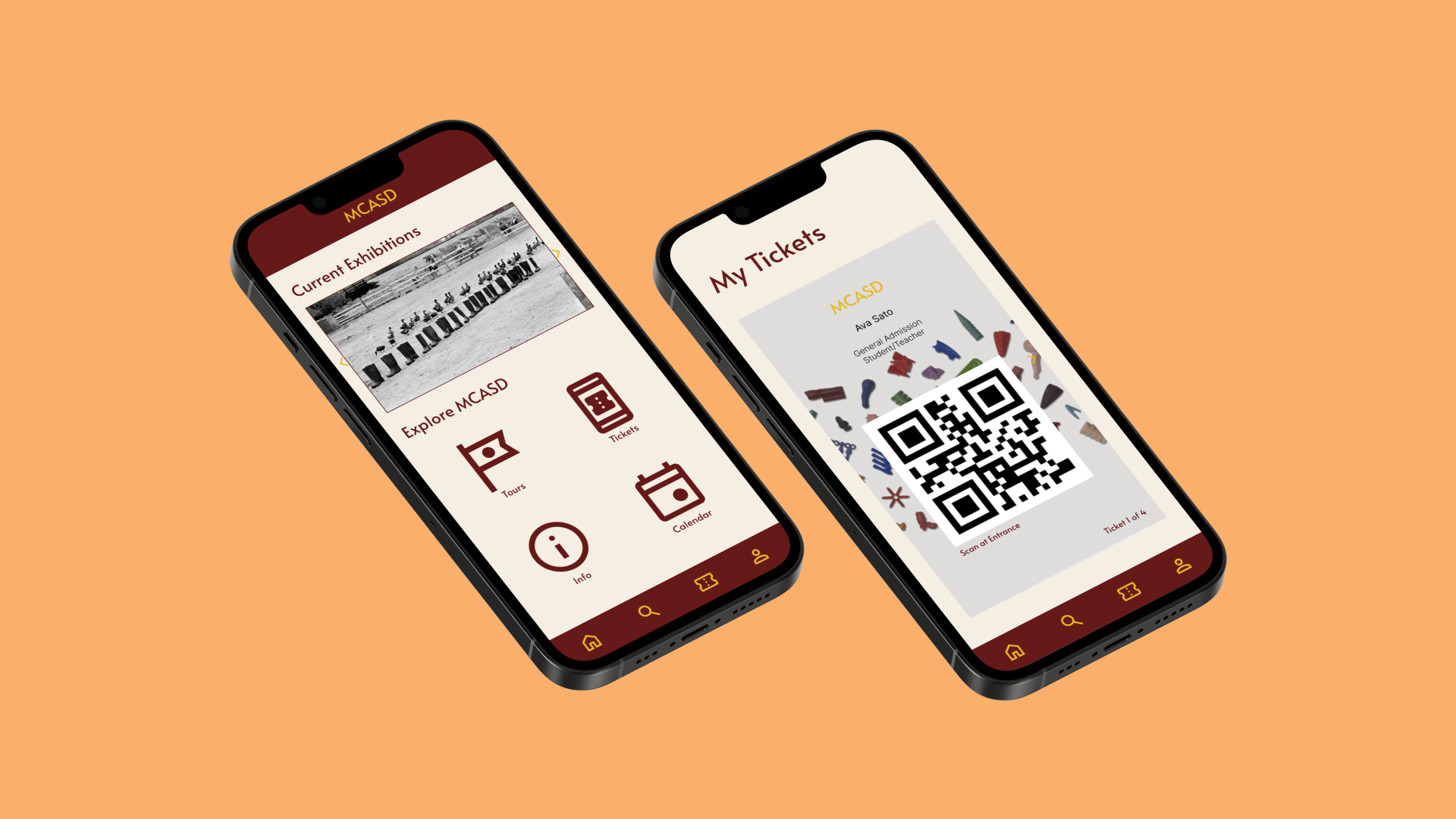
MCASD MOBILE APP
Making the experience of visiting the Museum of Contemporary Arts San Diego smoother.
Project type
Individual project
Tools
Figma
Deliverables
Interactive prototype
Duration
7 days
The Museum of Contemporary Arts San Diego attracts many locals and tourists to visit daily, however, the visiting experience isn’t ideal for many since the museum has yet to develop a smooth online system for viewing museum information and buying tickets.
PROBLEM
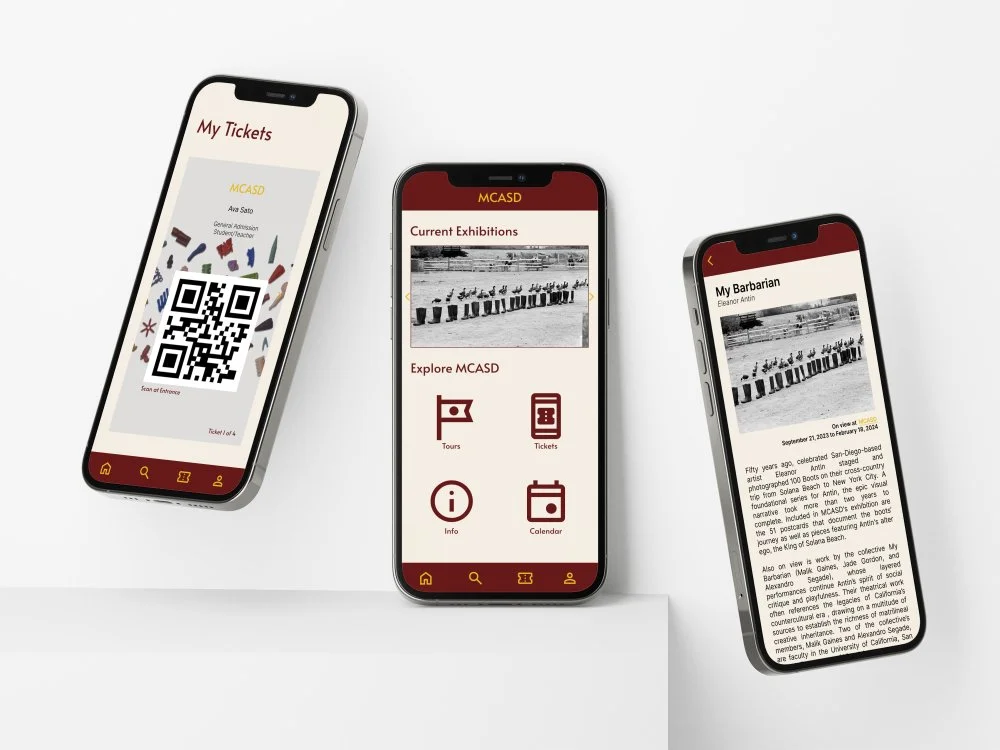
The MCASD Mobile App is designed for easy access to exhibition and artwork information and an intuitive discounted ticket purchasing process.
SOLUTION

INTERVIEWS
I started this project because I visited the museum with friends a few times and found that the ticketing experience was not exactly smooth all the time. Furthermore, the museum is located in an extremely touristy area, so it attracts locals and tourists daily. I decided to interview 2 friends who’ve been to the museum before, and these are some key insights.
The museum and its surrounding area get extremely busy during the weekend.
The only option to purchase tickets in advance is through their website, which is inconvenient for mobile users.
Both of my interviewees are college students, and both of them have college friends who frequent the museum.

PERSONAS
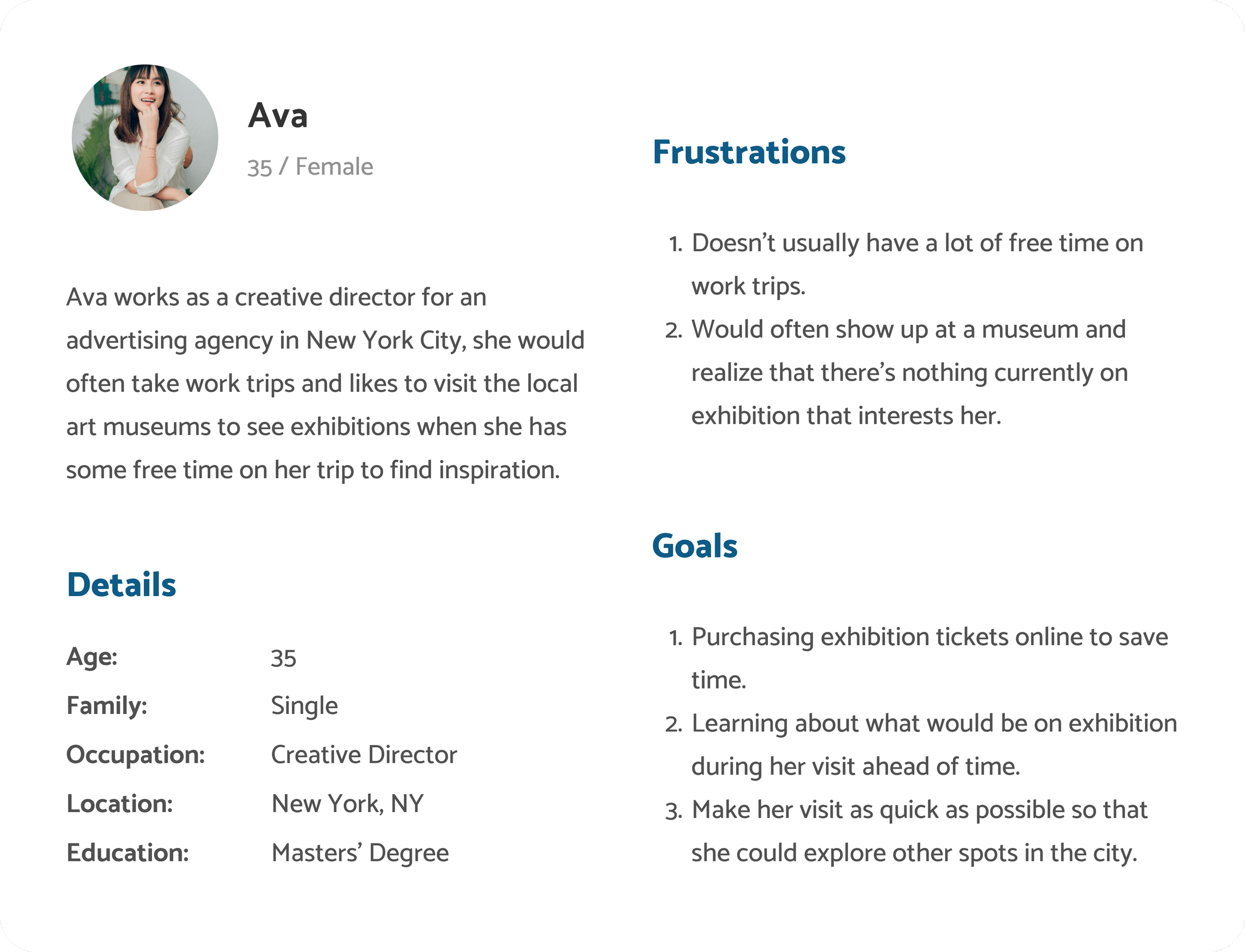
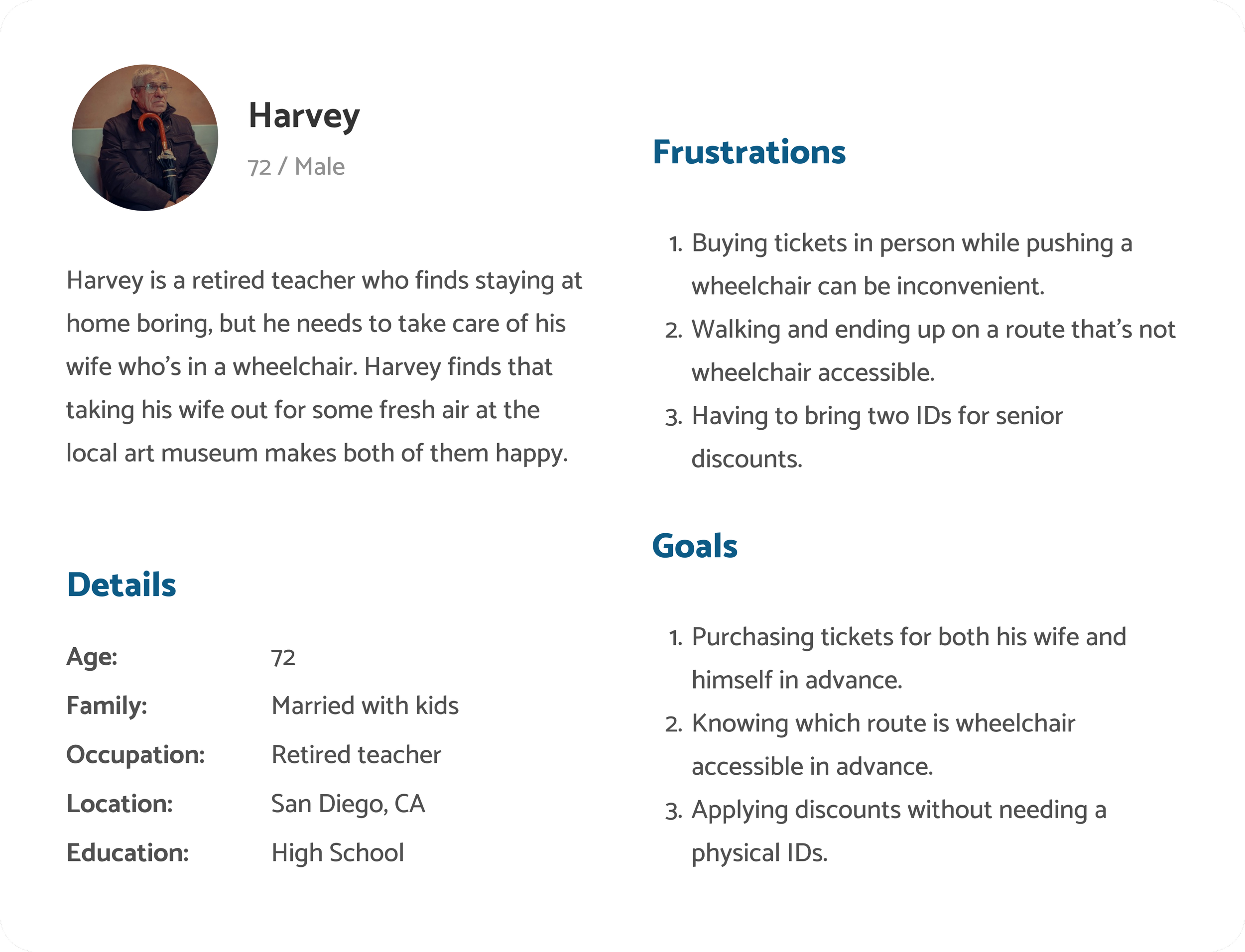
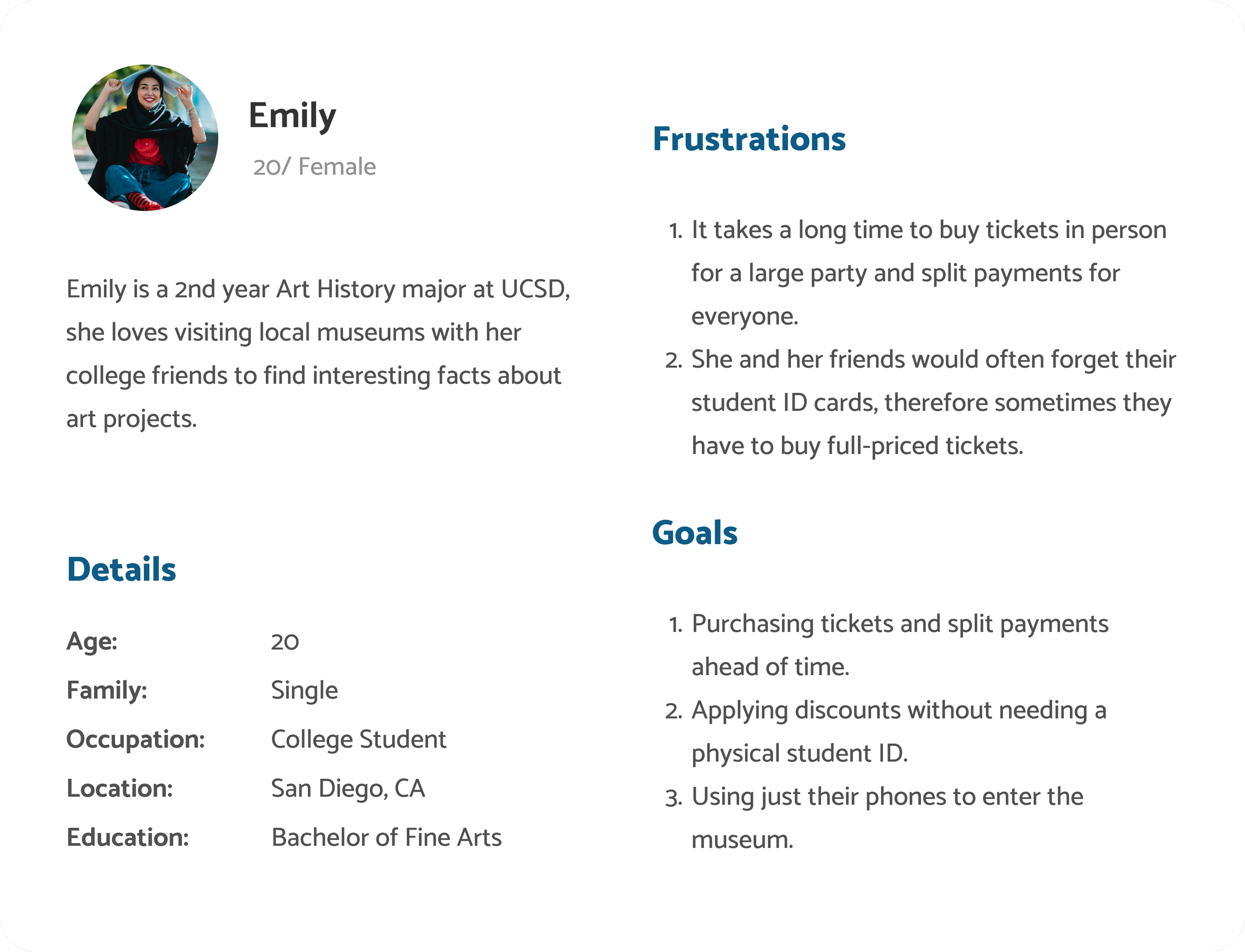
Through my interview findings, a common goal emerged among users who decide to download a museum's app: purchasing tickets, while many of them are looking to purchase discounted tickets. With this insight, I crafted personas tailored to my target audience – individuals actively seeking to purchase tickets online in advance of their museum visit.
STORYBOARDS
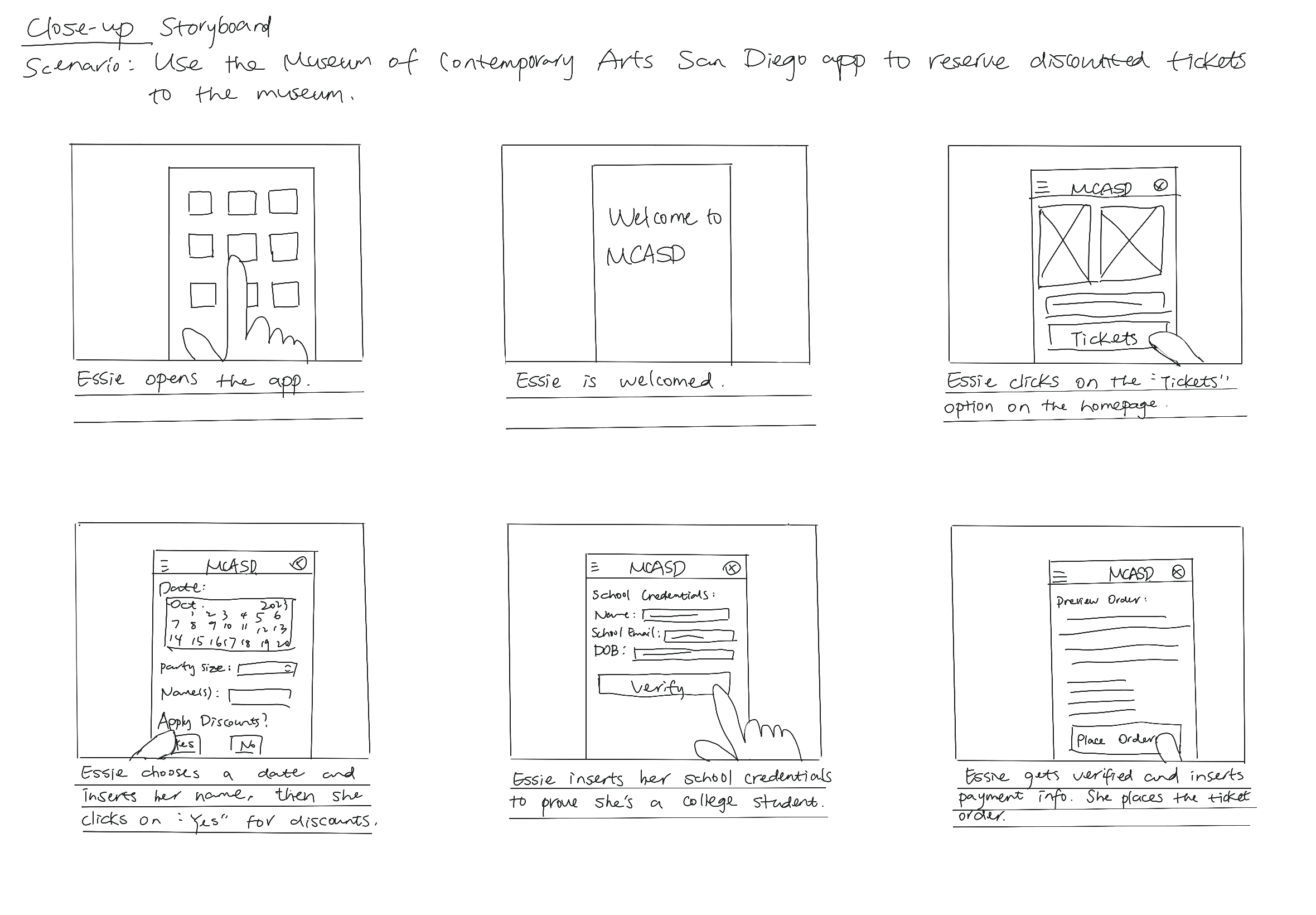
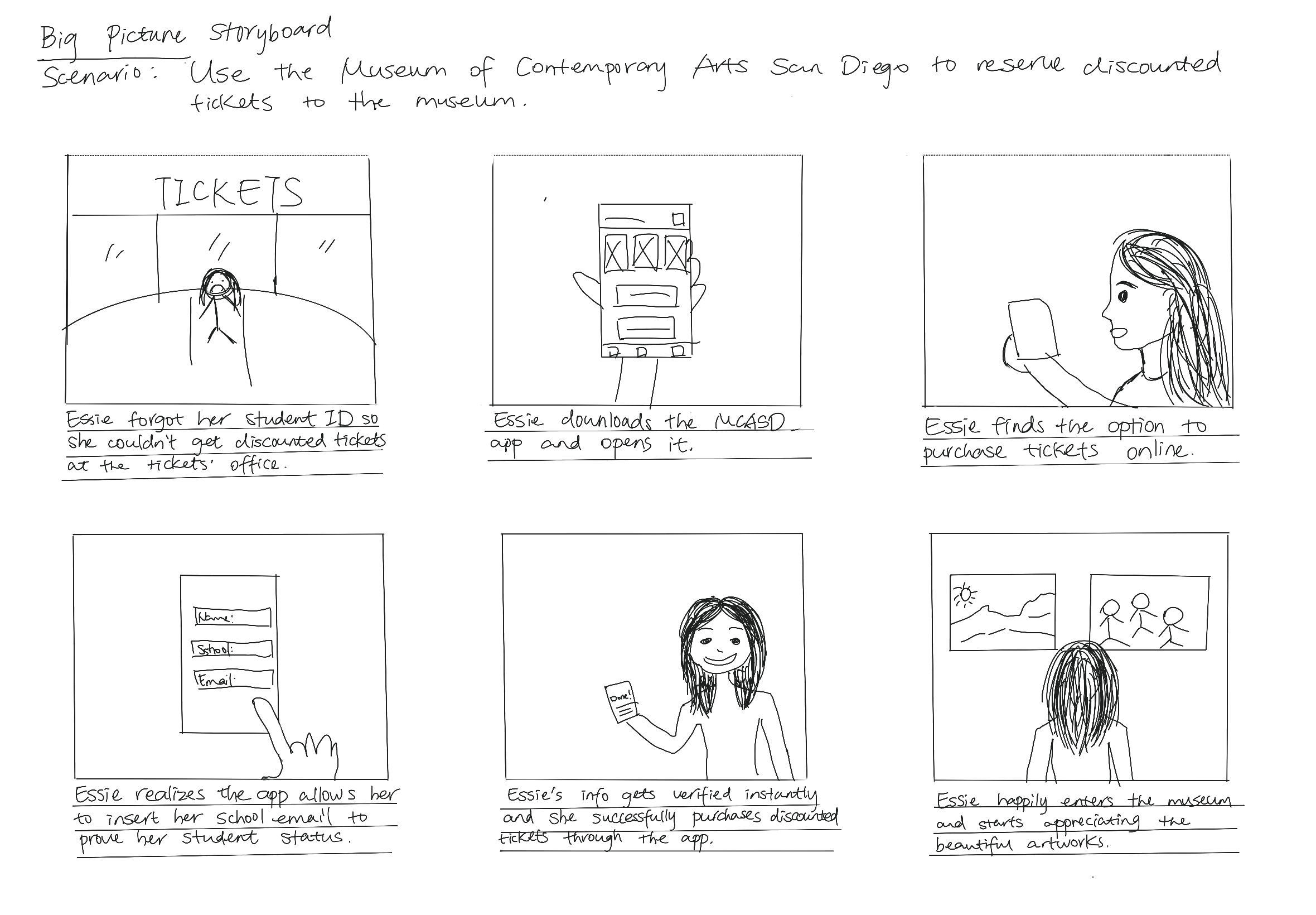
Based on insights gathered from interviews, I started the ideation process by constructing two storyboards to encapsulate the user's journey. Given that a recurring challenge among interviewees was related to purchasing tickets, my primary focus revolves around developing features that streamline the verification of ID information, the application of discounts, and the overall ticket purchase flow.
WIREFRAMES
I decided to start with some sketches first, drawing out a couple of different versions of the same screens and picking out the ones I liked the most. Then I sketched my main screen designs.
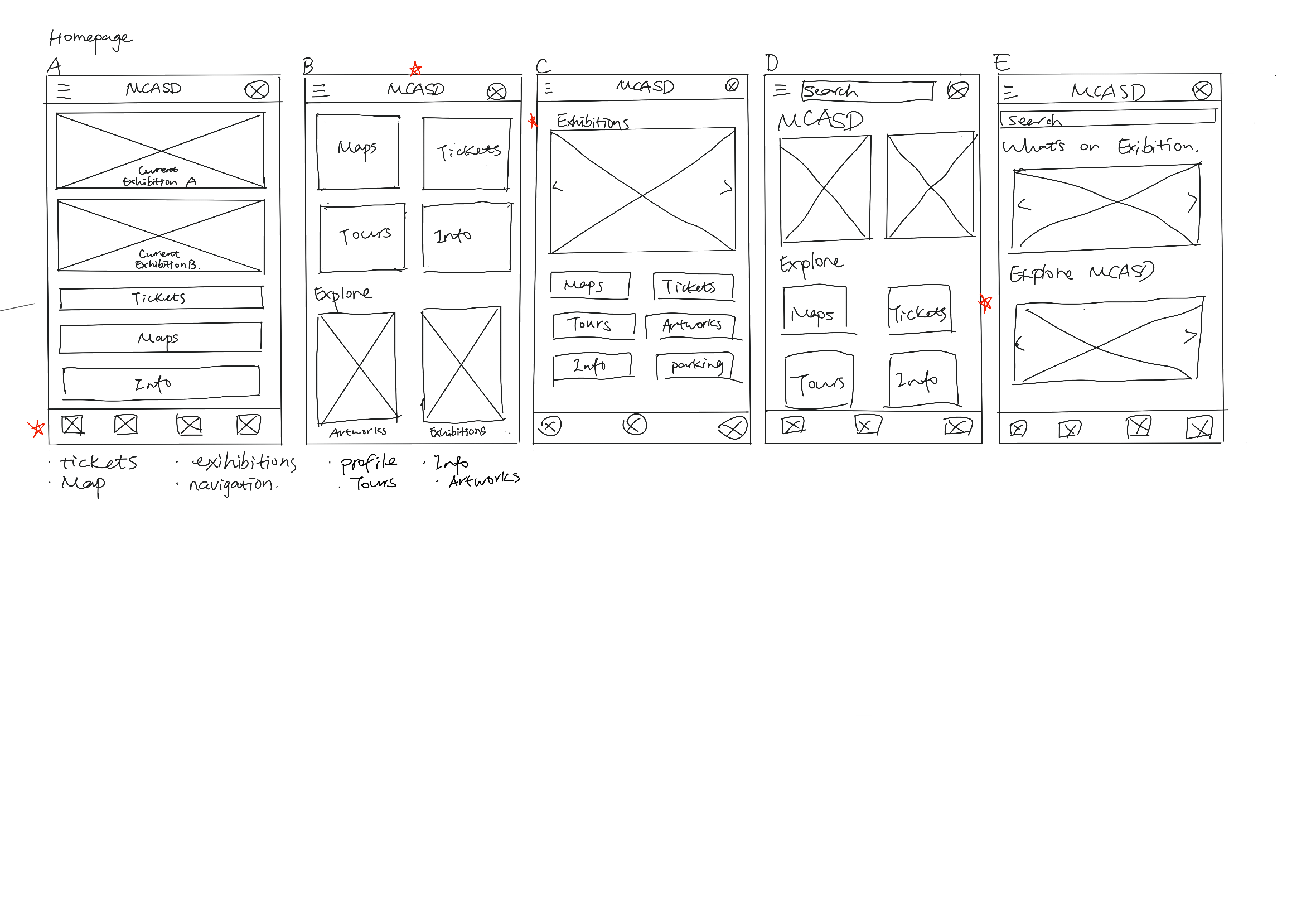
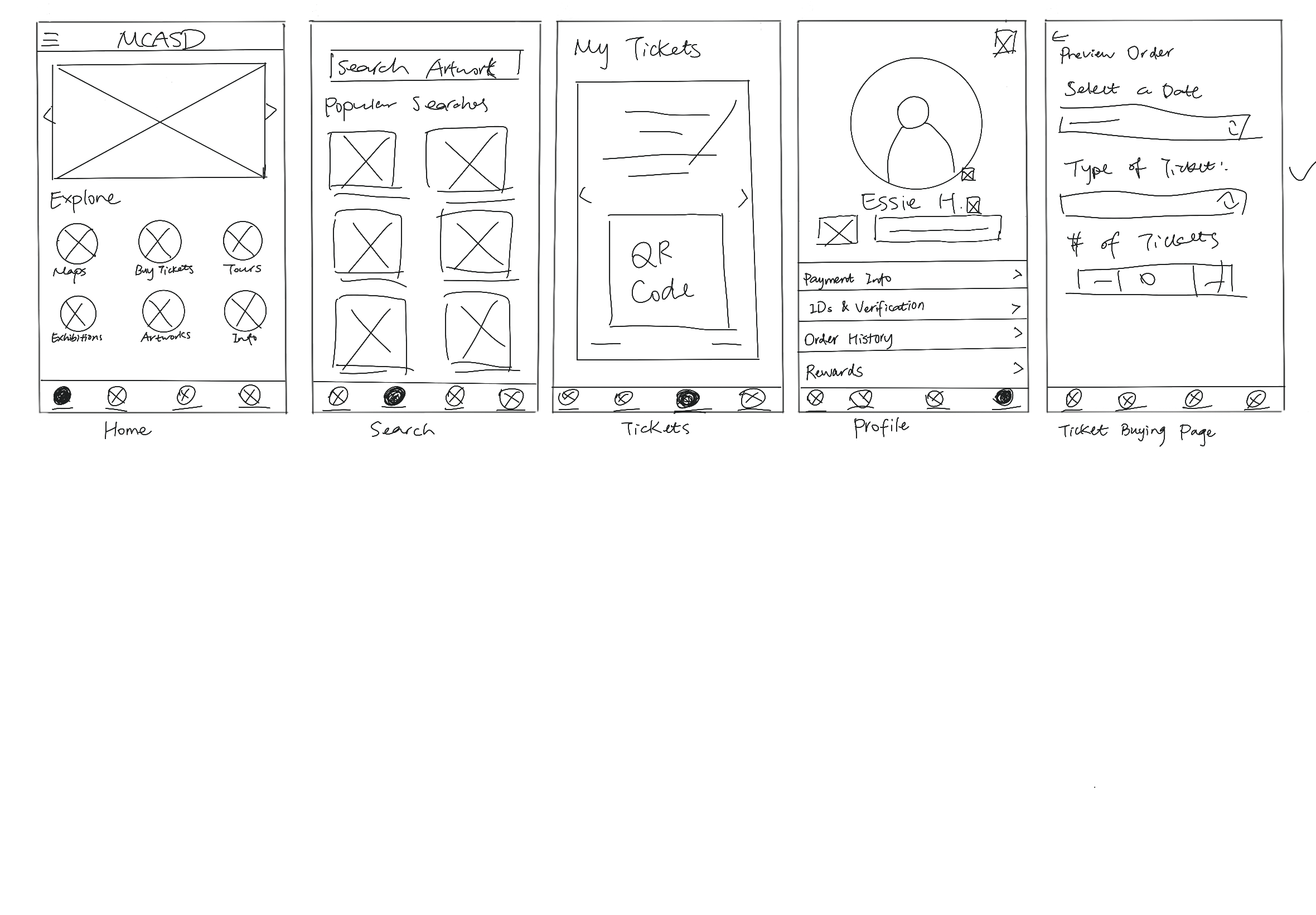
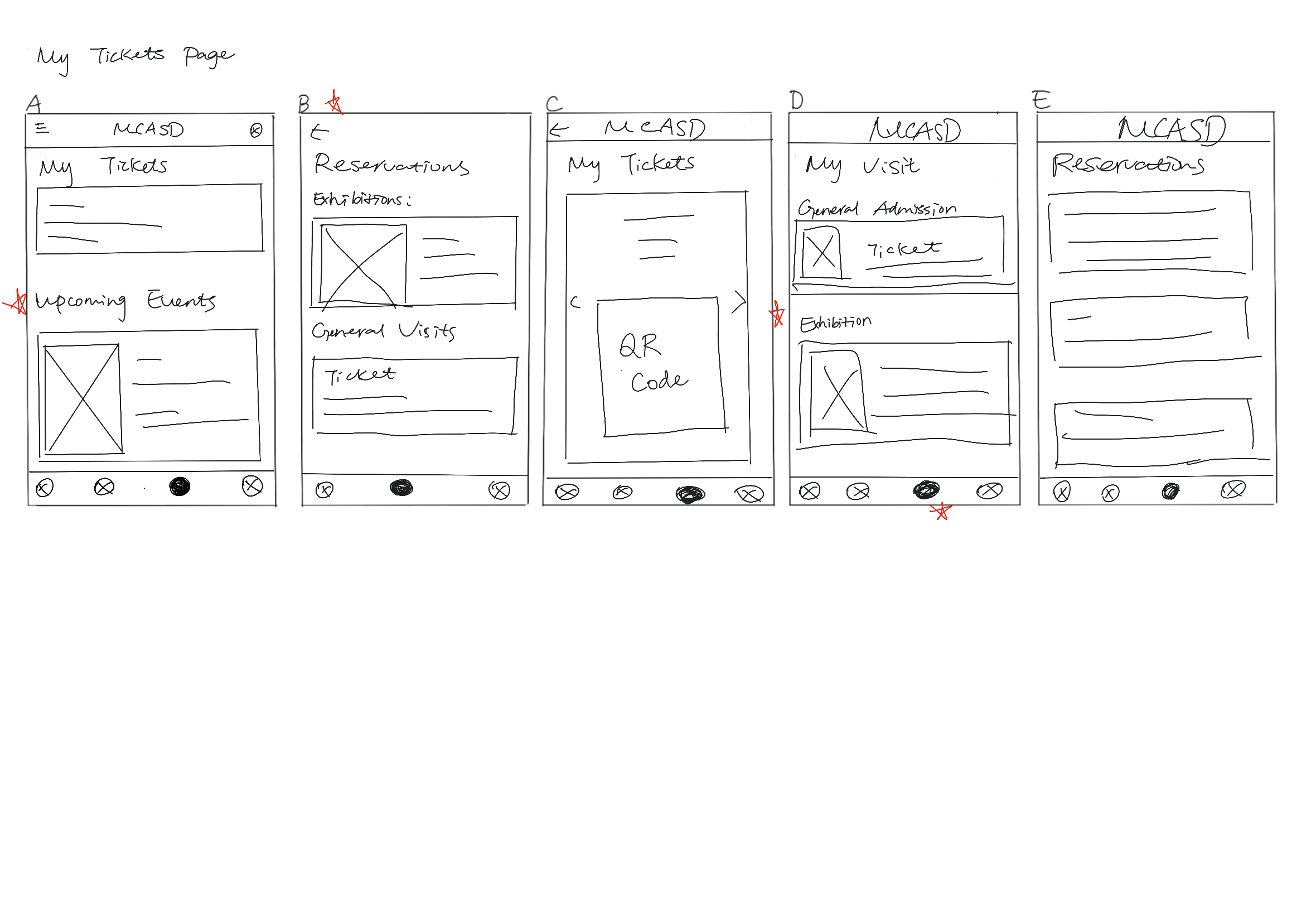
After that, I created digital wireframes based on the versions I liked the best in my sketches. I made sure to keep the designs simple and intuitive, as I didn’t want to confuse the users.
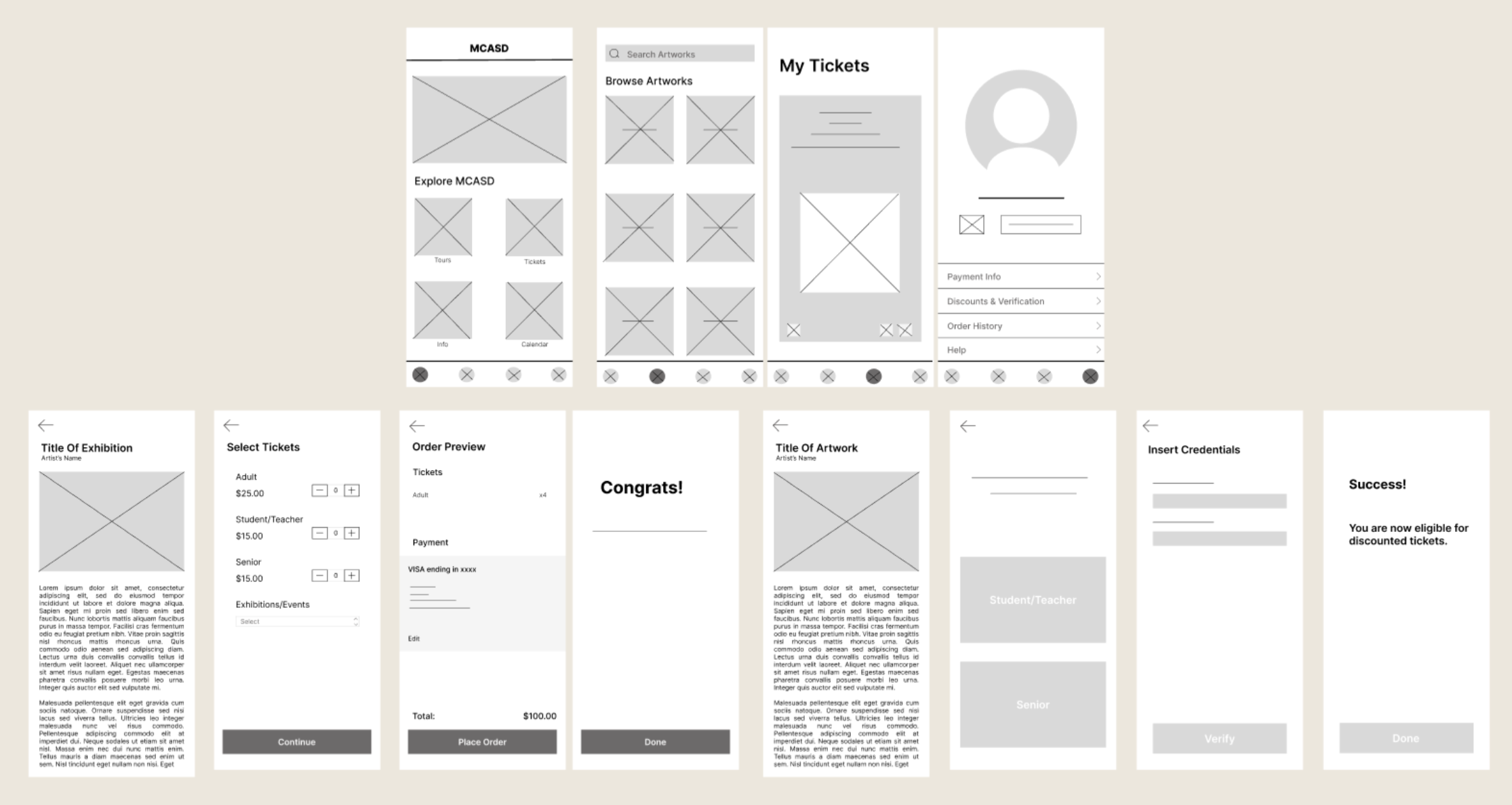

FINAL PRODUCT
I've developed an interactive prototype for the app, incorporating a range of features to enhance user experience. Notable functionalities include an exhibition display on the home page for easy navigation, a seamless ticket scanning process, the ability to apply student and senior discounts effortlessly, and a comprehensive search function for exploring and learning more about artworks.